01 Of 05
Win it
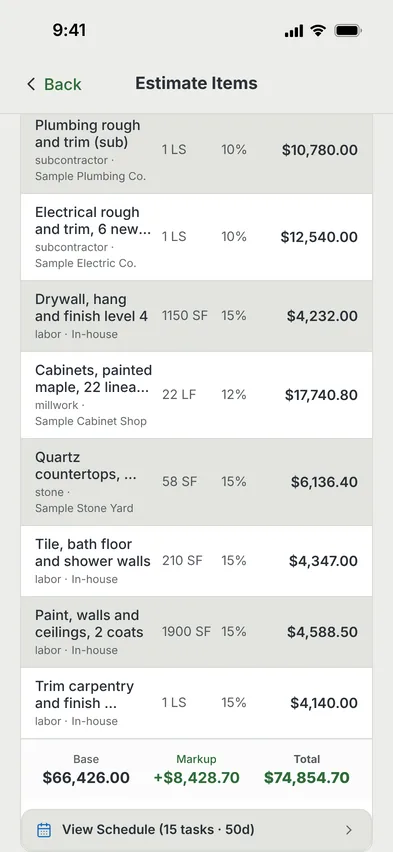
Price the job line by line. On Pro, the assistant drafts it from your own costs.
- Estimates Free
- Takeoff From Plans Pro
- Proposals And Contracts Pro
 MAGE ID
Start Free
MAGE ID
Start Free
Construction Management For General Contractors
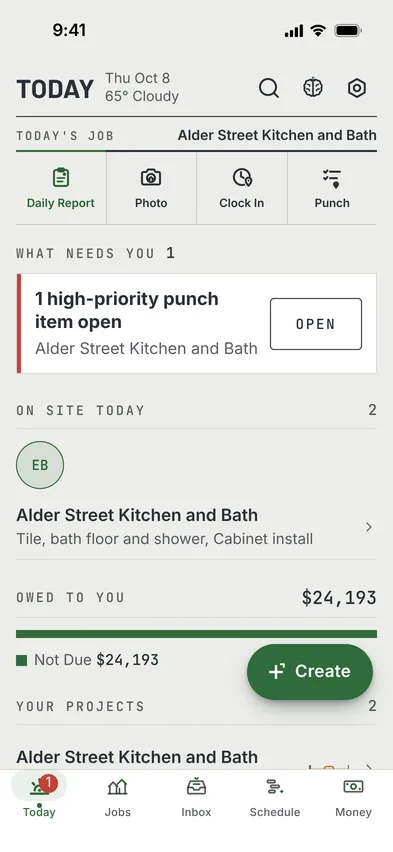
Get the extra work approved before you build it, and see what each job is making before the last check. MAGE ID runs a job from the first estimate to the final payment, on your laptop and your phone.
Free covers one project with the basic tools. Pro is $29 a month. The cheapest published plan we could find with AIA-style progress billing is $105 a month for three users. See the Price Table
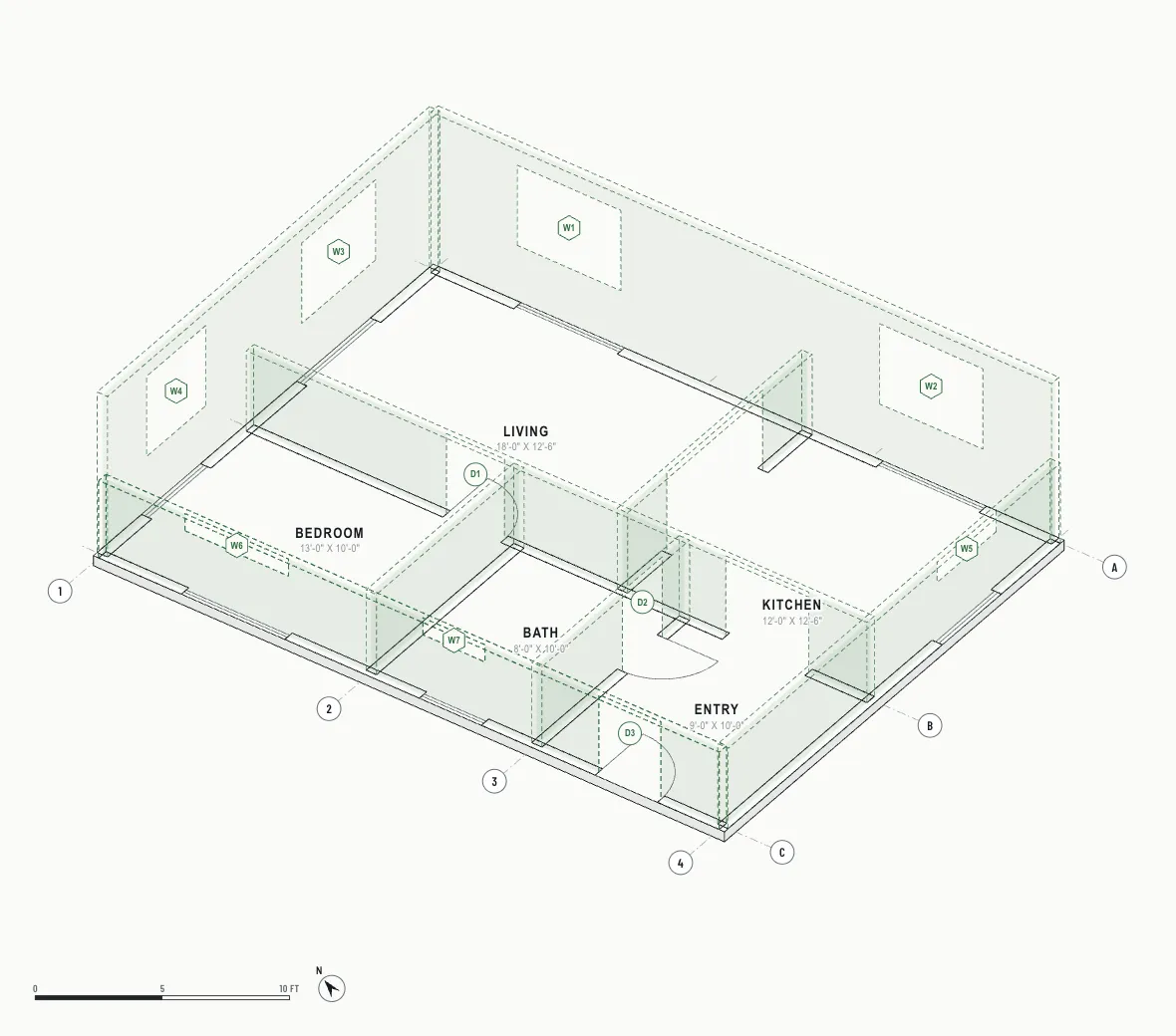
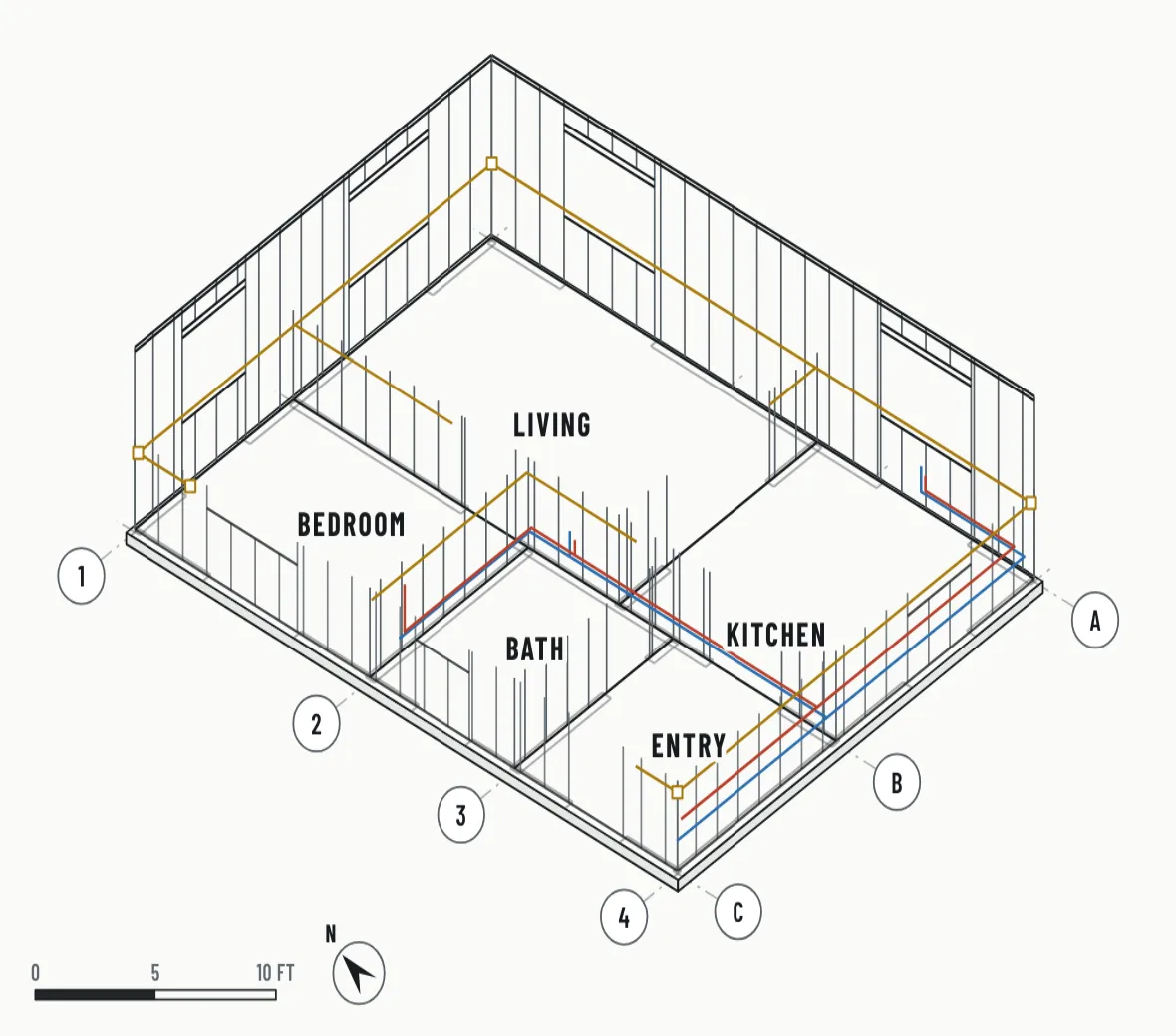
A-101The Job

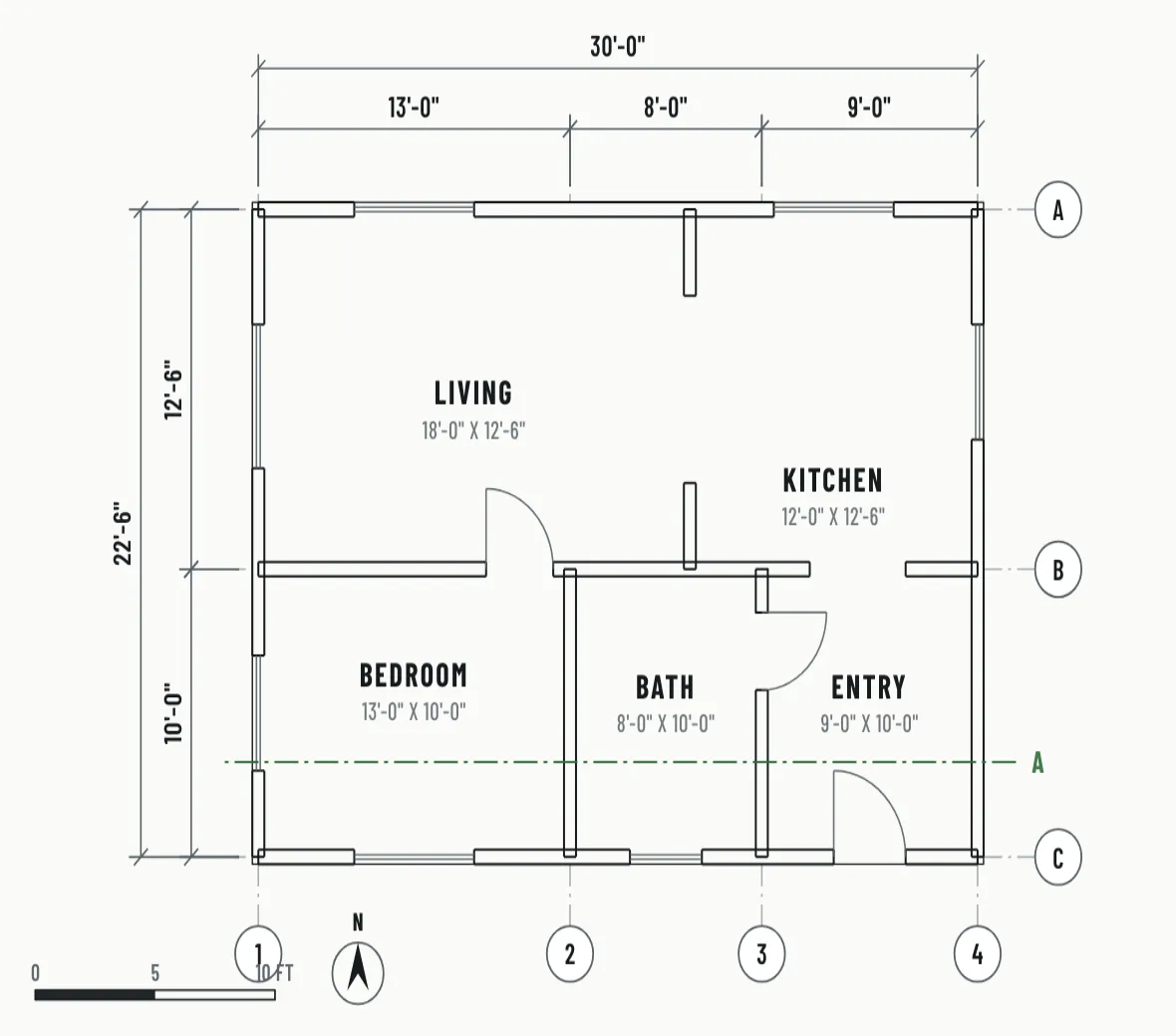
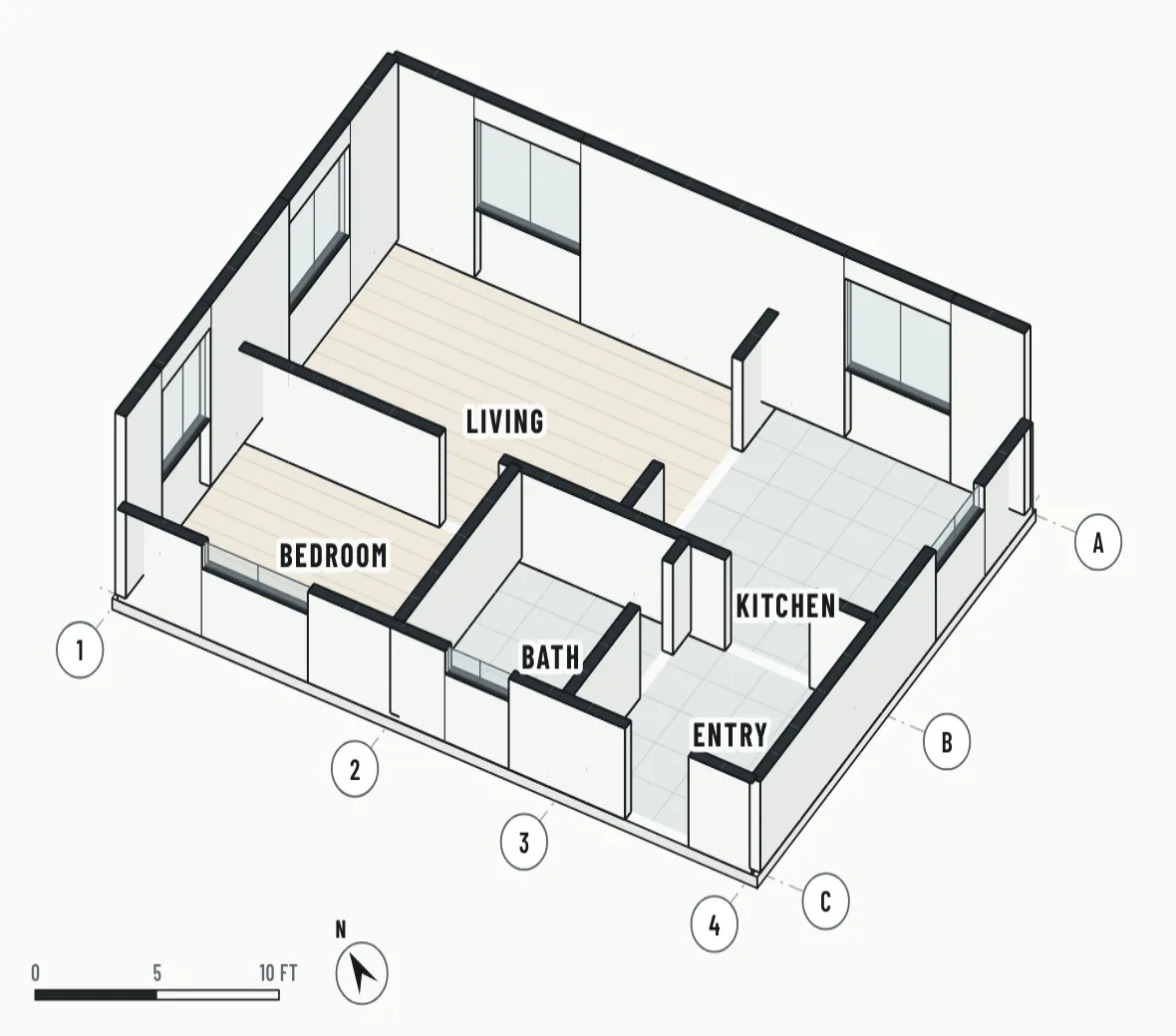
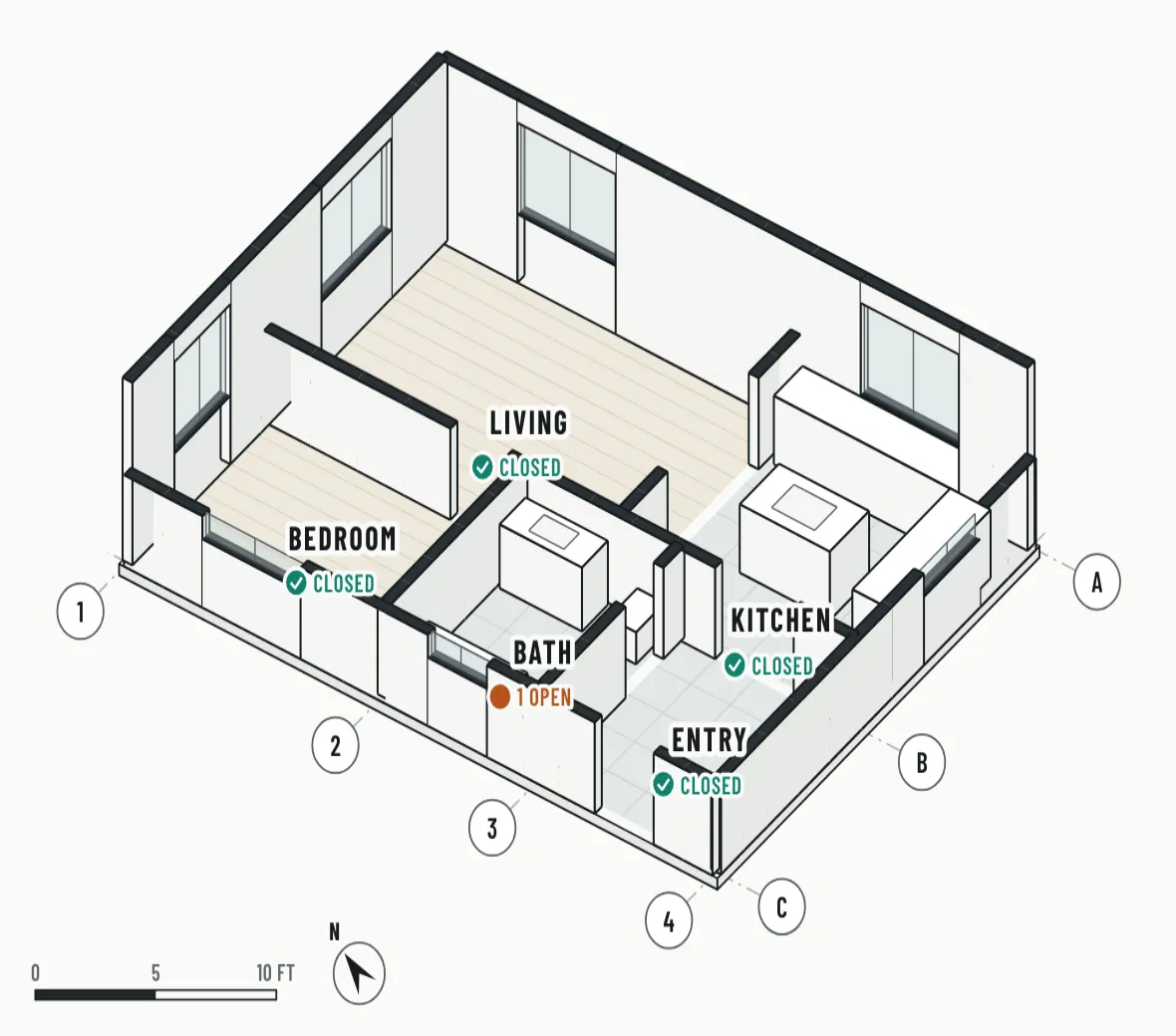
An illustration of one job, drawn like a set of construction drawings. First the floor plan, 30 feet by 22 feet 6 inches, with grid lines, room names and dimensions. Then dashed outlines of the planned walls. Then stud walls at 16 inches on centre with water and electrical lines. Then the walls closed and the floors laid. At the end, cabinets and fixtures, with each room marked closed and one punch item still open in the bath.
Illustration. The app screens are real.
01 Of 05
Price the job line by line. On Pro, the assistant drafts it from your own costs.
02 Of 05
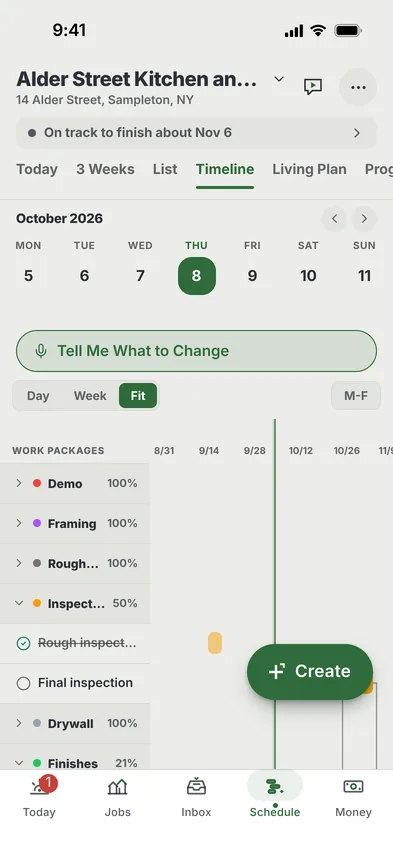
Build the schedule from the estimate. On Pro, the critical path is worked out for you.
03 Of 05
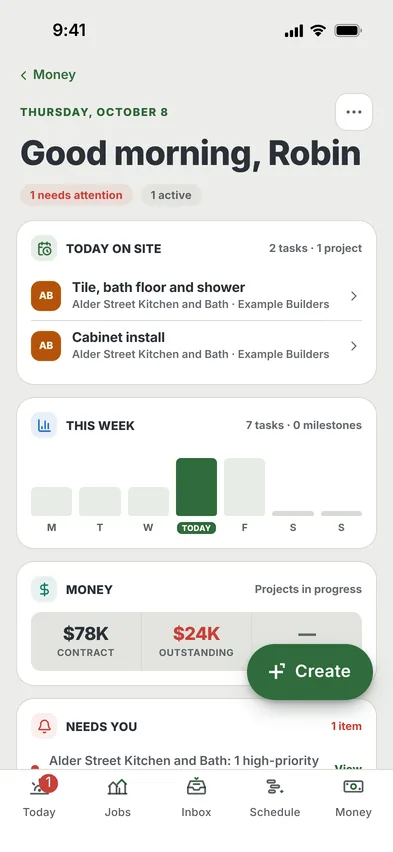
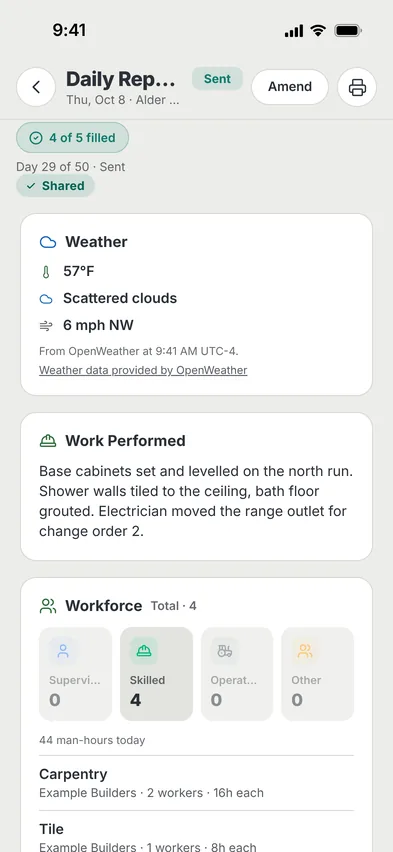
Run the field from the truck. Who was on site, what got done, what is holding the job up.
04 Of 05
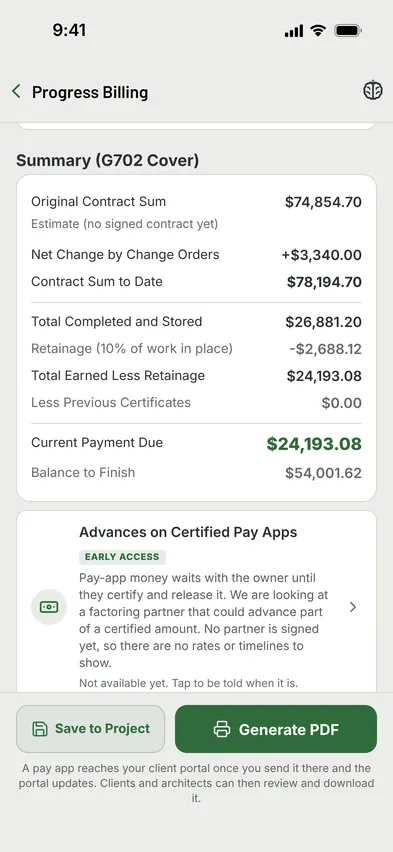
Bill the work as it gets done and see what is still owed. Billing is on Pro.
05 Of 05
Walk the job with the client, tick off what is left, hand over the keys.
Same Example Job, In Motion
Five short films of the example job, each under 25 seconds, playing on a loop.
Same Example Job, Start To Pay App
Price the job once. The same ten lines become the schedule, then the first pay application. Nothing is typed twice.
Illustration. Every number is the example job's own. Estimates and a basic schedule are on Free; pay apps are on Pro.
Same Example Job, Five Moments
Every number here is the example job's own: the schedule, pay application 1, the punch list, the loads on order and the day's report.
SCH-1 Schedule
The stone yard moves the countertop template. Every task tied to it slides over together, and the new finish date is right there.
Example job. The money line is switched off in the app today.
| Line | Scheduled | Complete | This Period |
|---|---|---|---|
| Demolition | $4,830.00 | 100% | $4,830.00 |
| Framing And New Header | $5,520.00 | 100% | $5,520.00 |
| Plumbing Rough And Trim | $10,780.00 | 60% | $6,468.00 |
| Electrical Rough And Trim | $12,540.00 | 60% | $7,524.00 |
| Drywall, Hang And Finish | $4,232.00 | 60% | $2,539.20 |
| Five Lines Not Started | $36,952.70 | 0% | $0.00 |
| Change Orders 1 And 2 | $3,340.00 | 0% | $0.00 |
G702 Pay Application
The pay application is made from the estimate's lines. Set the percent on each line and the totals, the retainage and what is due fill in.
Example job, example numbers.
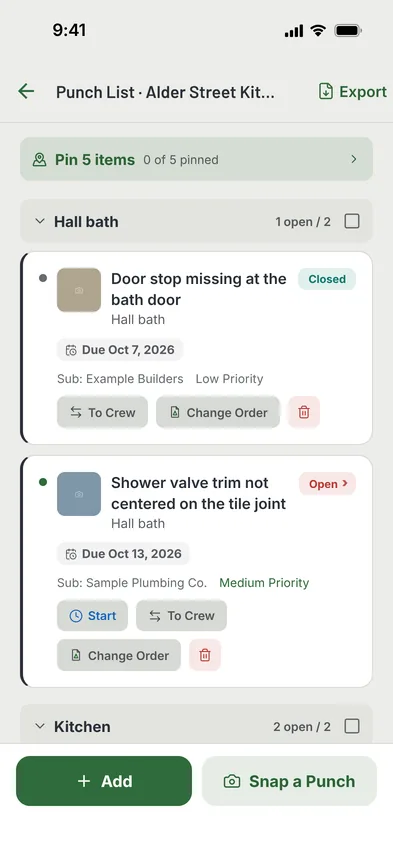
PL-1 Punch List
Each item carries a room, a photo and the sub who owns it. Close one and it drops off the open count.
Example items on an example job.
DL-1 Deliveries
Every load on order, with the day it was promised. When one lands it is marked on site. Late loads stay at the top.
Example loads on an example job.
57°FScattered Clouds, Wind 6 mph NWRead In From OpenWeather
| Trade | Company | Crew | Hours |
|---|---|---|---|
| Carpentry | Example Builders | 2 | 16 |
| Tile | Example Builders | 1 | 8 |
| Painting | Example Builders | 1 | 6 |
| On Site Today | 4 | 30 | |
SentShared With Client
DR-29 Daily Report
The weather reads in on its own. Write who was on site and what got done, then share it with the client.
Example report. You can always type over the weather.
Same Example Job, Change Order 2
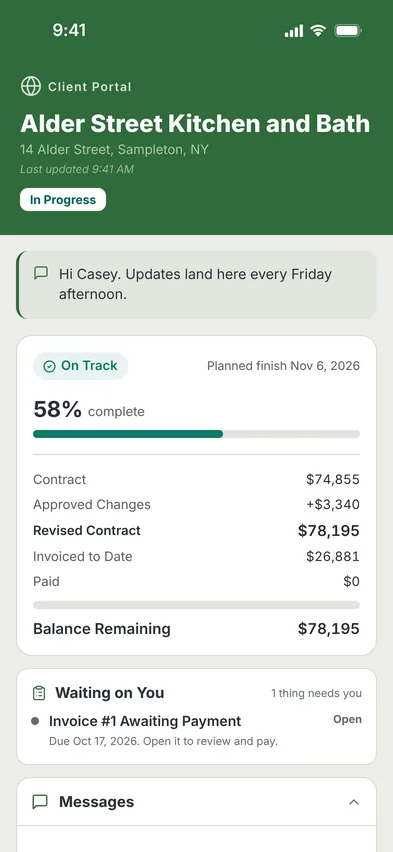
The client asks for more on site. You price it on your phone, they sign it from a link, and the contract sum moves. Change orders and the client portal are on Pro.Pro
CO-2Change Order
Client request after the cabinet layout walk.
Schedule Impact1 Day
Casey's Portal Link
Change Order 2
$1,860.00
Signed by Casey Linden, the client
SignedNo account and no app for the client. A link opens it, a finger signs it.
CT-1Contract Sum
On The Next Pay AppNet change by change orders reads +$3,340.00, already on the cover sheet.
Illustration. Every number is the example job's own.
Same Example Job, Try It
The cabinets are late. Drag the orange bar, or use the arrow keys on it, and watch every task linked after it move and the finish day follow.
14 Alder Street ScheduleExample Job
FinishWorking day 50On time
Illustration. The example job's real tasks and links, in working days.
Same Example Job, Phase By Phase
Each phase of the example job's schedule, stacked like floors from demo to closeout. The green floor is where the job is today.
14 Alder Street ScheduleExample Job
Illustration. The schedule's phases drawn as a section cut, not a model of the house.
Plans On Your Phone
Upload the plan set once. Open any sheet on site and mark it up where you stand. Plans and drawing markup are on Pro.Pro
Plan Set, 5 SheetsExample Job
Illustration. Sheets drawn for this page, not from a real set.
Same Example Job, One App
The tools a job runs on, each one shown on the example job.
Where The Numbers Come From
The price book and AI estimate drafts are on Pro. You approve every line before it goes out.
Example numbers, not real prices. Yours come from your own jobs.
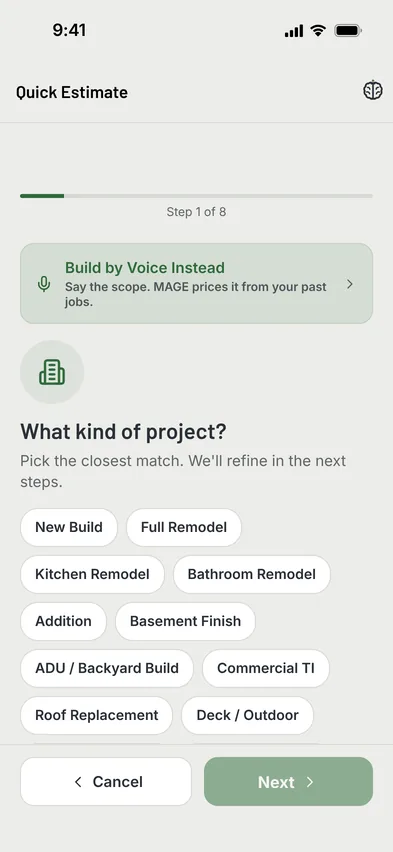
The MAGE Brain
A filing cabinet stores your jobs. A brain works them: it sees, remembers, reasons, foresees, reacts, reads your plans, and judges the next bid.
We will not publish an accuracy number until we have enough closed jobs to earn one. When we do, it goes on the Track Record page with the misses included.
Plan Key
Pro includes 30 AI requests a day. See Every Plan Detail
What Is In The App Today
Pricing
No per-seat fee and no per-project fee. Subs and field crew join free on every plan.
| Plan | A Month | Projects | AI Requests A Day | Takeoff Pages A Month | Office Seats | What It Adds |
|---|---|---|---|---|---|---|
| Free | $0 | 1 | 5 | None | Your own login | Estimates, daily reports and a basic schedule. Finished jobs still count as your one project. |
| Pro | $29 | As many as you run | 30 | 30 | 2 | AI estimate drafts, takeoff, invoices and AIA-style pay apps, change orders and the client portal. |
| Business | $79 | As many as you run | 80 | 100 | 5 | Everything in Pro, plus the punch list, Cost X-Ray, the WIP report and QuickBooks sync. |
| Enterprise | $150 | As many as you run | 150 | 300 | 15 | Everything in Business. The same tools, with the highest AI allowances. |
Office seats are on top of your own login.
The Free plan is live on the web today. Paid plans are not self-serve yet, and the iPhone app is in TestFlight, not the App Store. Ask for access and we switch your plan on and send the invite.
From A Test Build
These three are switched off in the app you can use today. The pictures come from a test build with the same made-up job.


Start With One Job
One project, no card. Open it in your browser now.
The iPhone app is in TestFlight, not the App Store.